To quote a mechanic from my first career, “Ain’t nothin’ simple.” This applies to LOD.
LOD is either Level of Development or Level of Detail, depending on who you are talking to. They are not the same.
Level of Detail is the amount of detail included in the model element. This is usually associated with the appearance of the element in 3D view.
Level of Development is progressive indicator of the degree to which the element has progressed to provide a detailed physical representation with accurate dimensions in all three dimensions, and an accurate location within the BIM model.
Level of Development is cumulative. Higher levels of development include requirements for all lower levels.
When you see LOD referenced in a construction document, it refers to Level of Development.
LOD is defined by the AIA Contract Documents Definition and ISO 7817-1 Building information modelling – Level of information need – Part 1: Concepts and principles.
bimforum.org has a complete CSI Sectioned LOD Specification available, if you want a deep dive. Click Here
Table of Contents
LOD 100
AIA Definition: The Model Element may be graphically represented in the Model with a symbol or other generic representation, but does not satisfy the requirements for LOD 200. Information related to the Model Element (e.g., cost per square foot, tonnage of HVAC, etc.) can be derived from other Model Elements.
ISO 7817-1 Part 1 requirements:
- Detail: None required
- Dimensionality: Approximate, 0, 1, 2, or 3D
- Location: Approximate, absolute (Located with respect to the model’s coordinate system)
- Appearance: No requirements
- Parametric Behavior: None unless explicitly defined through a keynote
If the design is being developed in 3D from the beginning, there will not be many LOD 100 elements.
LOD 200
AIA Definition: The Model Element is generically and graphically represented within the Model with approximate quantity, size, shape, location, and orientation.
ISO 7817-1 Part 1 required aspects:
- Detail: Simplified
- Dimensionality: Approximate, 3D
- Location: Approximate, absolute (Located with respect to the model’s coordinate system)
- Appearance: Recognizable geometry
- Parametric Behavior: None unless explicitly defined through a keynote
This is basically Out-of-the-Box Revit geometry. It’s what you get from most engineers. If the engineers do a good job of providing information through keynotes and schedules, it’s enough to define and quantify the scope of work to be done.
LOD 300
AIA Definition: The Model Element, as designed, is graphically represented within the Model such that its quantity, size, shape, location, and orientation can be measured.
ISO 7817-1 Part 1 required aspects:
- Detail: High
- Dimensionality: Accurate, 3D
- Location: Accurate, absolute (Located with respect to the model’s coordinate system)
- Appearance: Accurate geometry
- Parametric Behavior: None unless explicitly defined through a keynote
The difference between LOD 200 and 300 are the elements progress from being approximately accurate to measurably accurate. In the beginning of BIM coordination, we modeled to LOD 300 level. This level of development can be done with mainly OOTB Revit elements, supplemented with manufacturer specific models for equipment and plumbing fixtures.
LOD 350
AIA Definition: The Model Element, as designed, is graphically represented within the Model such that its quantity, size, shape, location, orientation, and interfaces with adjacent or dependent Model Elements can be measured.
ISO 7817-1 Part 1 required aspects:
- Detail: Complex
- Dimensionality: Accurate, 3D
- Location: Accurate, absolute (Located with respect to the model’s coordinate system)
- Appearance: Accurate geometry
- Parametric Behavior: None unless explicitly defined through a keynote
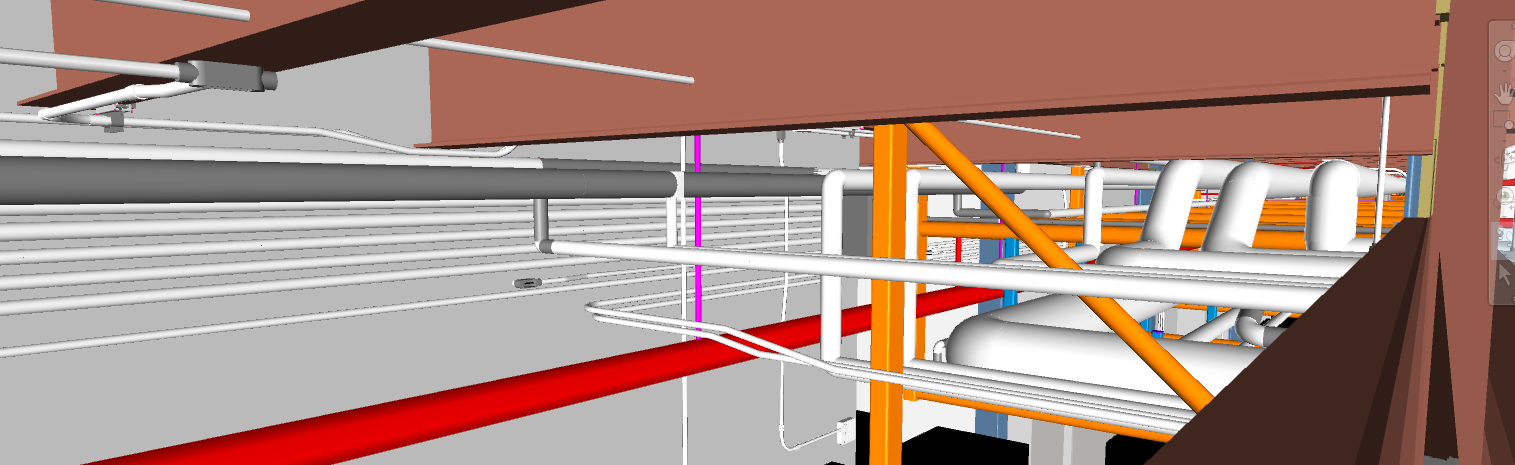
LOD 350 was created to fill a void that exists between LOD 300 and LOD 400. This void is constructability. It’s one thing to route a pipe around structure and within walls; it’s quite another to ensure that route can be followed using manufacturer specific pipe and fittings.
This LOD requires craft knowledge. It is primarily used by trades who want to ensure that the model will not only fit without interference, but also can be installed as modeled.
Some projects require this LOD as part of the contract. Note that it increases costs for BIM modeling, as it takes more time and typically requires skilled trades people to model correctly.
LOD 400
AIA Definition: The Model Element is graphically represented within the Model with detail sufficient for fabrication, assembly, and installation.
ISO 7817-1 Part 1 required aspects:
- Detail: Complex
- Dimensionality: Accurate, 3D
- Location: Accurate, absolute (Located with respect to the model’s coordinate system)
- Appearance: Accurate geometry
- Parametric Behavior: None unless explicitly defined through a keynote
As the AIA definition states, this LOD is used for prefabrication and installation. For trades that want to fabricate in the shop and install in the field, this LOD is a requirement.
This LOD also lends itself to the idea of creating a virtual twin of the building.
LOD 500
AIA Definition: The Model Element is a graphic representation of an existing or as-constructed condition developed through a combination of observation, field verification, or interpolation. The level of accuracy shall be noted or attached to the Model Element.
ISO 7817-1 Part 1 does not address existing conditions modeling
This level defines the as built conditions for the model. In contract documents, it is usually combined with a COBie (Construction-Operations Building Information Exchange) requirement.
LOD 500 is overlaid on the LOD that is used for construction. If LOD 200 is used for construction, the LOD 500 model will be an update of the LOD 200 model.
Contract documents requiring a combination of LOD 350, LOD 500, and COBie provide the building owner with a digital twin model of the building along with a functional spreadsheet of all the data a building owner needs to operate and maintain the building.
TLDR
- LOD 100 – Early stage development, not enough information to build.
- LOD 200 – Constructable architecture and engineering, similar to old 2D design.
- LOD 300 – Coordinated 3D design typically coordinated within design disciplines.
- LOD 350 – Model is coordinated among trades and is constructible.
- LOD 400 – Highly coordinated model that is used for fabrication and installation.
- LOD 500 – Lower level LOD updated to as built conditions.